Call Us (866) 845-6931

POSTED ON July 31, 2026

A customer-facing display (CFD) is a second screen at checkout that shows the customer their own order, taxes, and loyalty points in real time — and for Canadian retailers, it’s one of the few in-store screens that can build trust and stay squarely inside Health Canada’s promotion rules. For dispensaries running Greenline POS, turning that second screen on is a same-day upgrade with an outsized payoff.
If your checkout counter today is a budtender squinting at a single monitor while a customer waits to find out what they actually owe, you’re not just slowing down the line — you’re leaving trust, upsell revenue, and loyalty sign-ups on the table. Here’s why the modern CFD has become standard equipment for competitive Canadian cannabis retail, and how to run one without tripping over the Cannabis Act.
Checkout confusion is worse in Canada than almost anywhere else in retail, because the math genuinely is more complicated. Between federal excise duty stamps, GST, and — depending on the province — HST or PST stacked on top, a customer’s final total can look nothing like the shelf price they were quoted by a budtender ten minutes earlier.
When a customer can’t see how the total was built, they hesitate. That hesitation shows up as a slower line, a defensive “wait, why is it that much?”, and a budtender who has to stop being a product expert and start being a human calculator — again. In a market where provincial regulators (AGCO in Ontario, the BC Cannabis Distribution Branch, AGLC in Alberta, SQDC in Quebec, and others) already require careful recordkeeping and price transparency, an opaque checkout is a compliance and reputation risk, not just an inconvenience.
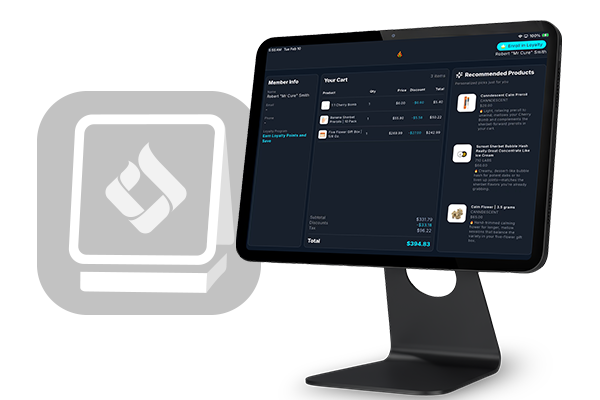
A Greenline-powered customer-facing display removes the guesswork by mirroring the transaction back to the customer as it happens:
None of this requires the customer to ask a single question. When people can verify the math themselves, budtenders stop re-explaining totals, transactions move faster, and the counter starts to feel like the front line of trust it should be — not a source of friction. This tracks with broader retail research on “operational transparency”: Harvard Business School research published in Harvard Business Review has found that letting customers see the work being done on their behalf makes them more satisfied, more willing to pay, and more loyal — the same principle a CFD applies to the checkout counter.
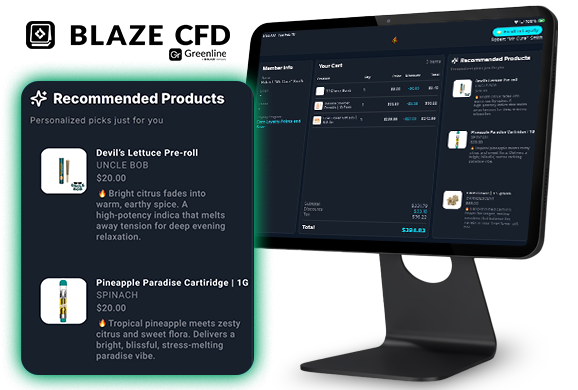
The same screen that clears up the tax math can also do quiet, contextual upselling — without turning your budtenders into a sales script. As items are scanned, Greenline’s CFD can surface a complementary product tied to what’s already in the cart: a grinder alongside flower, a battery for a cartridge, rolling papers next to shake. Instead of a generic “ask about our accessories” prompt, the customer sees the specific reason it’s relevant to their own order.
Because this happens on-screen inside a licensed retail store — a place young persons aren’t legally permitted — it generally fits within the informational and brand-preference promotion the Cannabis Act allows under s.17(2), the same exception that covers most in-store signage. The safest version keeps recommendations tied to functional pairings (accessories, complementary formats) explained factually, rather than emotionally-driven pitches for higher-margin products — the same “no lifestyle appeal, no urgency” guardrails that apply to everything else on the screen apply here too.
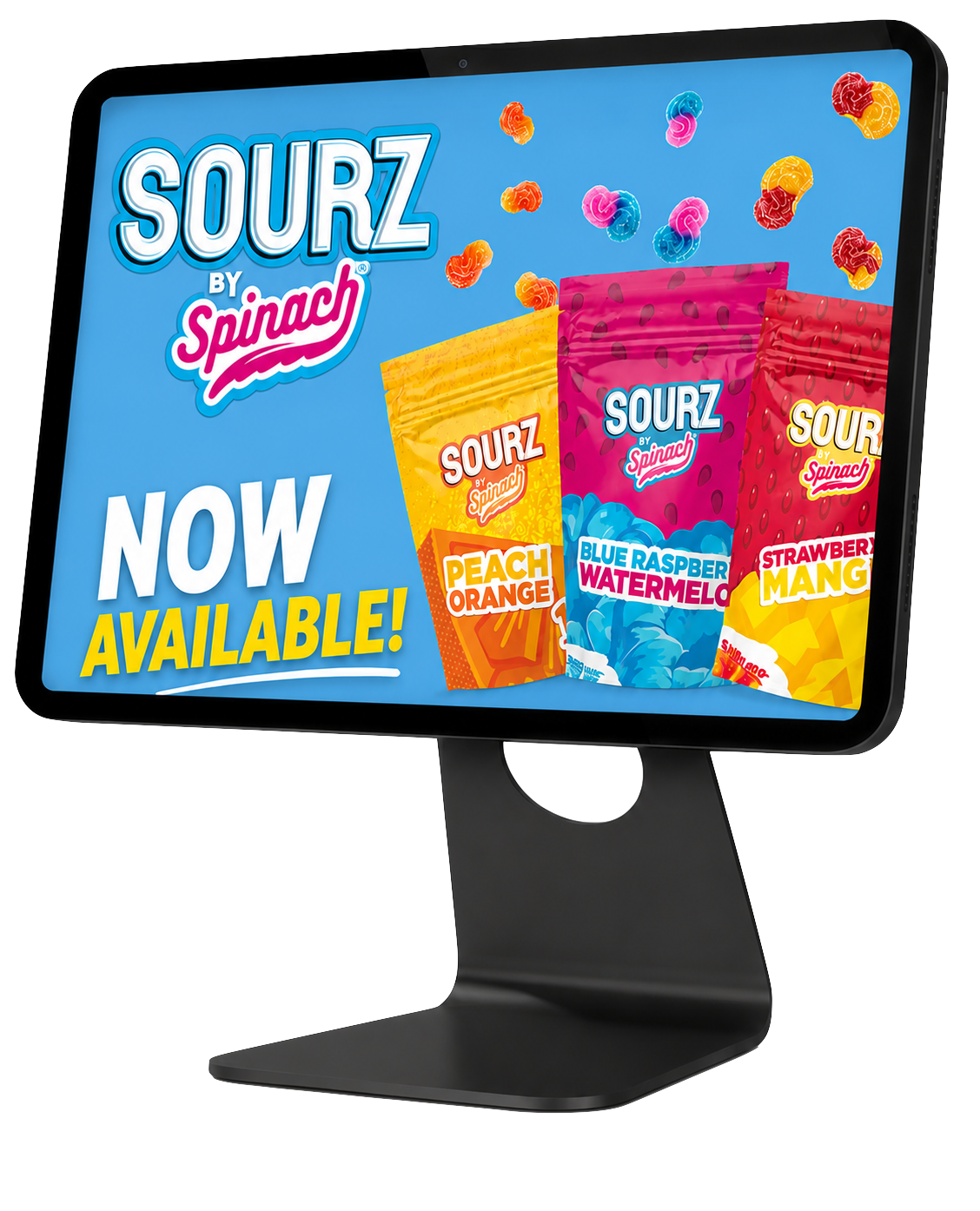
This is where Canadian retailers have to think differently than their U.S. counterparts. Under sections 17–24 of the Cannabis Act, in-store point-of-sale materials are permitted, but they need to stay informational rather than promotional — no lifestyle appeal, no testimonials, and nothing designed to evoke excitement, glamour, or risk. That’s a real constraint on what “digital signage” can look like at a Canadian counter, and it’s exactly why a well-configured CFD is such a good fit: the same screen real estate that shows a customer their tax breakdown can also carry factual, brand-neutral content during the idle-state loop.
Independent research scanning Canadian licensed retailer websites found that sales and discount promotions — daily deals, time-limited pricing, “deal of the month” style messaging — were the single most common category of apparent Cannabis Act violations, so this is an area regulators are actively watching, not a theoretical risk. Treat the pricing examples above as a starting point, not a final answer, and run new banner concepts past your provincial regulator or compliance counsel before they go live — the rules vary by province, and the cost of getting it wrong is steep.
Loyalty sign-up is usually where good intentions die at a busy counter. Asking for a phone number or email on a packed Friday night feels like it kills the vibe, so budtenders skip the pitch — and the program never grows.
A CFD flips that by making enrollment something the customer opts into themselves:
The result: a loyalty database that grows on its own, without adding a single extra task to your staff’s plate or an awkward ask to the transaction.
None of this requires a store redesign. The Greenline CFD app currently runs on iPad, and it pairs with Greenline POS whether you’re running the iOS app or the web-based version — so you don’t need to switch POS platforms to add the second screen. If you’ve already got a spare iPad in a drawer, you likely have most of what you need; if not, a refurbished one is typically all it takes, and pairing with your Greenline POS is a same-day job, not an IT project. This is a case where the compliant option and the cheap option are the same option.
For Canadian cannabis retailers, a customer-facing display isn’t just a nice-to-have upgrade — it’s a way to solve two problems at once: build genuine trust at the highest-friction moment in the store, and do it inside the guardrails Health Canada and your provincial regulator already expect you to respect. Retailers running Greenline POS have the tools to turn a static, confusing checkout into a transparent, self-explaining one — and to grow loyalty enrollment without a single extra ask.
A customer-facing display is a second screen at checkout, visible to the customer, that mirrors their order in real time — showing scanned items, applied discounts, tax breakdowns, and loyalty point balances before payment is finalized.
Content shown at the point of sale must stay informational rather than promotional — factual product details (like potency or terpene content) are generally acceptable, while lifestyle-driven or emotionally appealing advertising is not. Requirements can vary by province, so retailers should confirm specifics with their provincial regulator or compliance counsel.
No — it typically speeds checkout up. When customers can see their own itemized total and tax breakdown as it’s built, budtenders spend less time re-explaining totals, which shortens the line rather than lengthening it.
It lets customers see their live point balance during the transaction and enroll themselves via a QR code on their own device, removing the need for a budtender to manually collect contact information at a busy counter.
The Greenline CFD app is currently iPad-only, but it pairs with Greenline POS whether you’re running the iOS app or the web-based version — your POS platform doesn’t need to change to add the second screen. An inexpensive iPad (a refurbished one works fine) is generally all that’s required; talk to your Greenline representative to confirm current supported models.
Yes — a customer-facing display is designed to reflect the loyalty data already tracked in your Greenline POS, showing point balances and available rewards in real time without any separate system to manage.
Yes — Greenline’s CFD can use live cart data to surface a complementary product, like an accessory or matching format, along with a plain-language reason it’s relevant. Kept factual and pairing-based rather than lifestyle-driven, this generally sits within the informational and brand-preference promotion the Cannabis Act permits inside a licensed retail store.
A plain, time-boxed price display can generally sit inside the Cannabis Act’s point-of-sale pricing exception, but lifestyle-coded labels like “Happy Hour,” free-item or contest-based offers, and urgency-driven copy carry real compliance risk and are among the most commonly flagged violation types in Canada. Use neutral, factual pricing language and confirm the specifics with your provincial regulator or compliance counsel before launching a deals banner.
Ready to bring a compliant, trust-building customer-facing display to your counter?
Learn More About the CFD Schedule a Demo